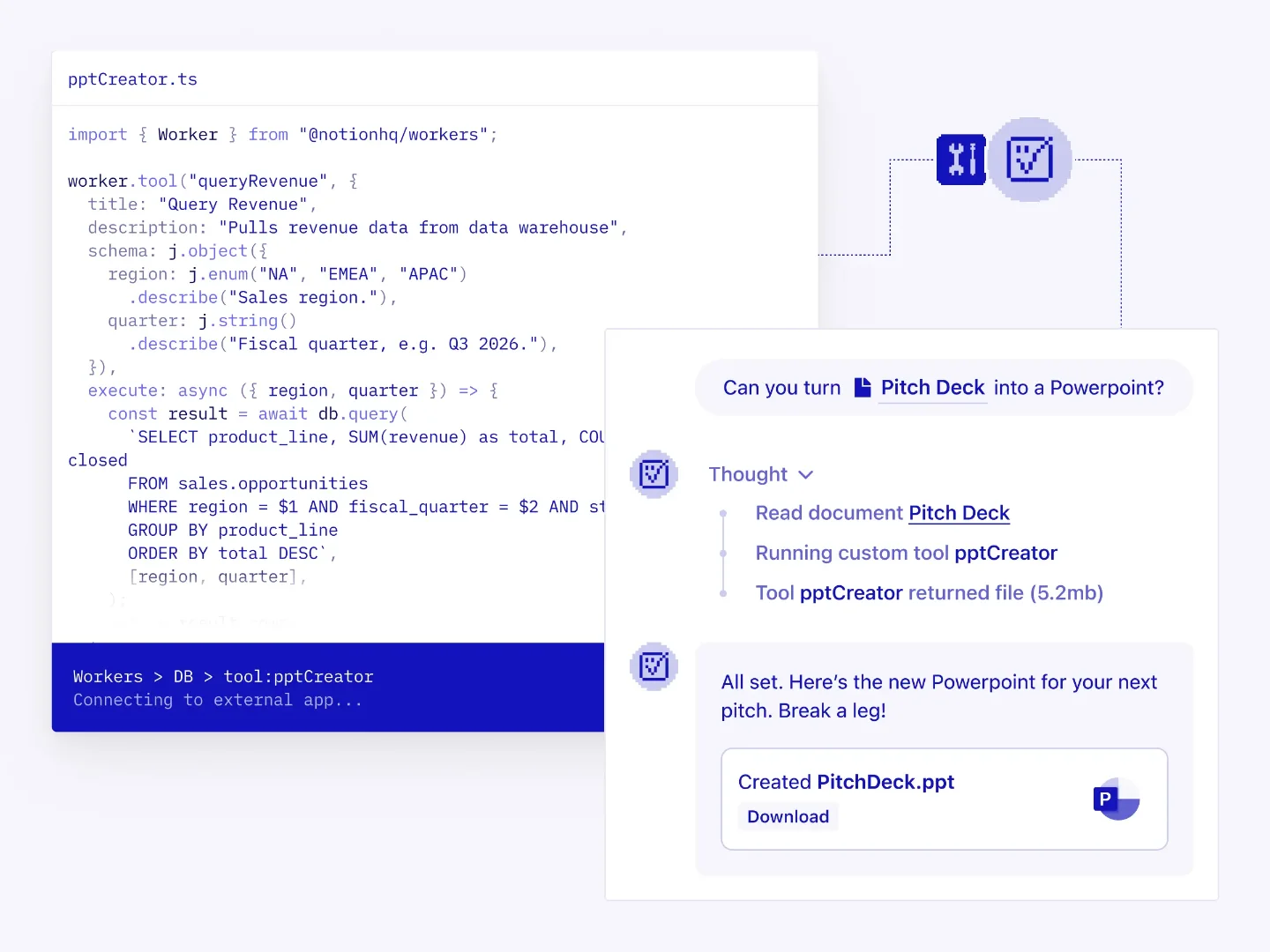
Notion Workers: code is the permission layer
A teardown of Notion's Workers Config UI — the TypeScript editor + deployment flow shipped May 13 2026 — showing how `readOnlyHint`, `.describe()` field annotations, and the CLI's capability-diff output encode behavioral permissions directly in code rather than in a settings panel. Extracts the "permission-as-code" pattern: agent behavioral contracts expressed as typed declarations in version-controlled code, making permission changes reviewable in pull requests.

Notion's May 13 2026 Developer Platform release 1 introduced a TypeScript code editor surface that is, on its face, a developer tool. But the design choices inside it — what fields are required, how descriptions are structured, what a single boolean controls — encode something PMs should care about: a system where behavioral permissions aren't configured in a UI dropdown, they're written into the code.
The split-screen surface and what each half does
The Workers Config UI presents as a split screen. The left side is a TypeScript editor where the developer writes a Worker — a hosted script that registers capabilities onto a
Worker instance using six primitives: worker.tool(), worker.sync(), worker.webhook(), worker.database(), worker.oauth(), and worker.pacer(). 1 The right side shows a Notion Custom Agent conversation, demonstrating how the registered tool surfaces in practice — the agent receives a request, calls the tool by name, and returns structured output to the user.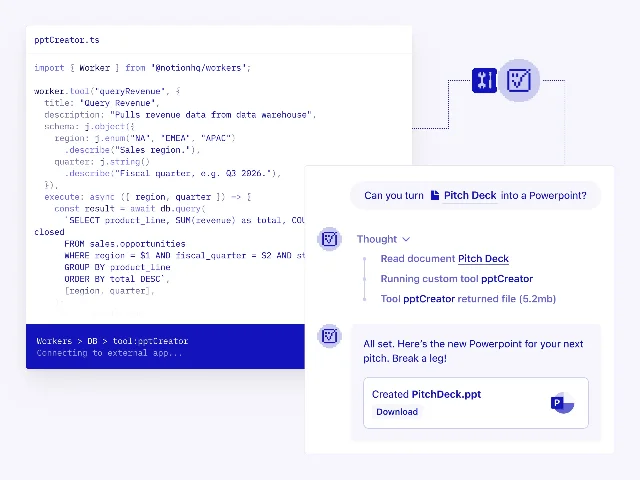
That split isn't just a product demo layout. It communicates a specific mental model: what you write on the left directly determines what the agent can do on the right. The code editor is not a backend concern separated from the product experience — it is the product experience, translated into TypeScript.
The schema as the agent's instruction boundary
Each tool registration in Workers requires four fields: a stable key, a
title (shown in the Notion UI), a description, and a schema defining the input structure. 2 The schema uses a builder called j rather than raw JSON Schema — j.object({ email: j.email().describe("The customer's email address.") }) — so every field definition includes an inline .describe() call.That
.describe() call is not documentation for the developer. Notion's guidance is explicit: "write the description as an instruction boundary — what the tool does, and when it should be used." 2 The agent reads those strings at runtime to decide whether to invoke the tool and what arguments to pass. The developer's description text becomes the agent's routing logic.The same principle applies to
readOnlyHint. Setting this boolean to true marks a tool as safe to auto-execute — the agent calls it without asking the user for confirmation. 2 Leave it unset on a write tool, and the agent will prompt the user before executing. A PM looking at this UI is seeing an authorization model expressed in a type annotation, not a settings panel.Jay Clem, a software engineer at Notion, described the motivation: "We wanted logic and order, but we got a big plate of spaghetti. And often AI agents can feel just shoehorned into these types of flows." 3 Workers is the attempt to replace that spaghetti with a typed contract — "Workers are deterministic, so it's more reliable than LLM reasoning, and a fraction of the token cost." 1
The deployment pipeline as a diff surface
Workers deploy through
ntn, a CLI installed via a single curl command on macOS/Linux (Windows requires WSL). 1 The deploy command — ntn workers deploy — handles TypeScript compilation, dependency bundling, and upload. What's notable is what the CLI outputs when the deploy completes: a message showing exactly which capabilities were added and which were removed.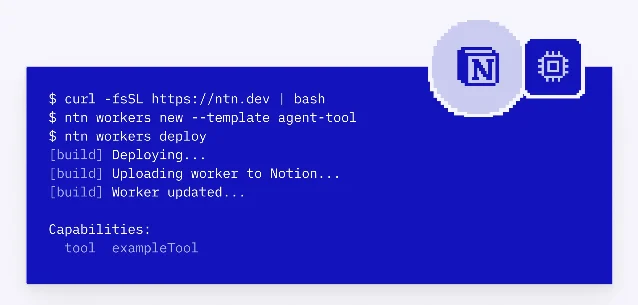
That capability diff is a design decision about what information the developer needs at deploy time. Most deployment pipelines tell you "success" or "failure." This one tells you the exact delta in what the agent can now do — which is the relevant unit of change when the thing being deployed is an AI tool contract rather than a static application.
Developers can test locally with
ntn workers exec <toolKey> --local -d '<json>' before deploying, and use the --preview flag for dry-run testing post-deployment. 4 The local execution mode runs code against external APIs without writing back to Notion — a meaningful distinction when the tool in question touches production data.The security layer the developer never sees
Every Worker runs in an ephemeral Firecracker microVM provided by Vercel Sandbox — each invocation boots its own kernel. 5 Secrets set via
ntn workers env set KEY=VALUE are never placed inside the execution environment. They're injected at the network level through Vercel Sandbox's firewall proxy, meaning a successful prompt injection attack against the running code still can't exfiltrate the credentials — they're not there to steal. 5This is infrastructure a developer normally has to build from scratch when self-hosting agent tooling. Notion has absorbed that cost into the platform. The developer-facing surface is just
process.env.KEY. The security model is entirely invisible in the UI.Workers are free during beta (May 13 through August 11, 2026); post-beta pricing will use Notion credits at $10 per 1,000, with per-invocation rates not yet published. 1 Workers require a Business plan ($20/user/month) or higher. 1
The reusable pattern: permission-as-code
The Trust Dashboard pattern (identified in yesterday's teardown of the Connections tab) answers "what has access to my workspace?" at the authorization layer. Workers Config answers a different question: "what exactly is that access allowed to do, and who decided?"
In a traditional agent integration, those behavioral rules live in a settings UI — a dropdown, a toggle, a permission scope selector maintained by an admin. In Workers, the developer writes them.
readOnlyHint: true on a revenue-query tool means no human had to configure "this tool is safe to auto-run" in a dashboard — the constraint is in the codebase, version-controlled, reviewable in a pull request.Call this permission-as-code: behavioral contracts between an AI agent and the data it touches, expressed as typed declarations in the same file as the tool logic, not as a separate configuration layer.
The PM-applicable version of this principle: when you're designing where agent permissions live in your product, the question isn't only "who can change them?" — it's "where do changes get reviewed, and what format makes the review meaningful?" A boolean in a settings panel is invisible to code review. A
readOnlyHint annotation in a TypeScript file is not.Cover image from Notion Developer Platform release notes
References
- 1Notion: May 13, 2026 – 3.5: Notion Developer Platform
- 2Notion: How to write an agent tool — Notion Docs
- 3Notion (YouTube): How to Build Agent Tools on Notion's Developer Platform
- 4Thomas Wiegold: Notion Workers for Small Business: A Hands-On Guide
- 5Vercel: How Notion Workers run untrusted code at scale with Vercel Sandbox
Add more perspectives or context around this Drop.